


If you’re looking to improve your local business visibility and get more customers from online searches, optimizing your Google My Business (GMB) profile is one of the most important steps. Whether you’re just starting out or have had a GMB page for years, keeping it up-to-date and fully optimized is key to standing out. In this Google My Business optimization checklist, we’ll guide you through the latest tips and tricks that can help boost your rankings and attract more customers. From selecting the right category to using posts and responding to reviews, this GMB checklist will make sure you’re doing everything you can to put your business on the map.
The Importance of Google Business Profile (GBP) for Businesses
Optimizing your Google Business Profile (GBP) is a crucial step for any business aiming to increase its visibility in local search results and improve its local SEO rankings. With GBP, businesses can manage their presence across Google Search and Maps, which is key to attracting local customers. Here’s why it matters and how to optimize it effectively.
1. Make sure your category is as accurate as possible
Choosing the right category for your business is one of the most important steps in optimizing your Google My Business profile. If your category is wrong, your GMB page might not show up for relevant searches, which can hurt your visibility and local SEO. This is why selecting the most accurate category for your business is essential. Having the right category in your Google My Business checklist ensures that you’re appearing for the right search queries, which can make a huge difference in your local rankings.
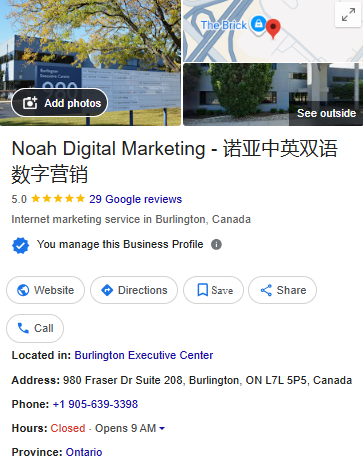
To help optimize your Google Business Profile, make sure you’ve set up your Google Business Account correctly, as the category selection plays a crucial role in local rankings.
2. Address & service areas
When Google Business Profile (GBP) was first created, it was primarily used for local businesses to show up in searches based on location. Over time, as digital marketing has grown, GBP has evolved significantly. Even e-commerce businesses without a physical storefront can now benefit from a profile.
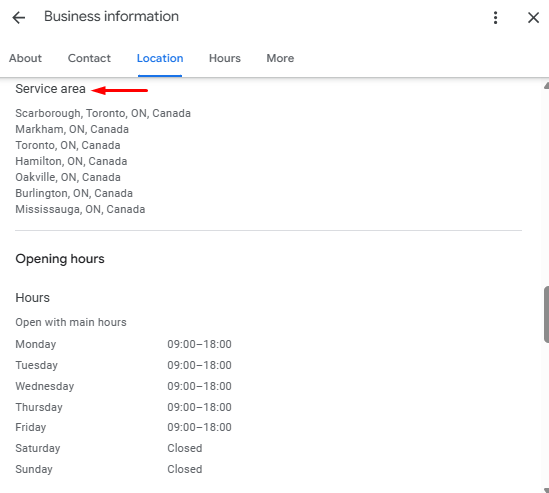
Service-area businesses (SABs)—like digital marketing agencies, real estate agents, and environmental consultants—can easily hide their physical address and instead set up service areas to increase visibility in multiple cities or regions. This is especially valuable if you serve areas beyond your immediate physical location. You can define your service areas by cities, regions, or a specific radius around your business, helping you show up in search results where you provide services.
It’s essential to ensure that your address on GBP matches exactly how it appears on Google Maps, as any discrepancies can confuse both users and Google, affecting your visibility. Consistency across all platforms (such as NAP—Name, Address, Phone number) remains key for improving your local SEO ranking factors.
3. Pictures & videos
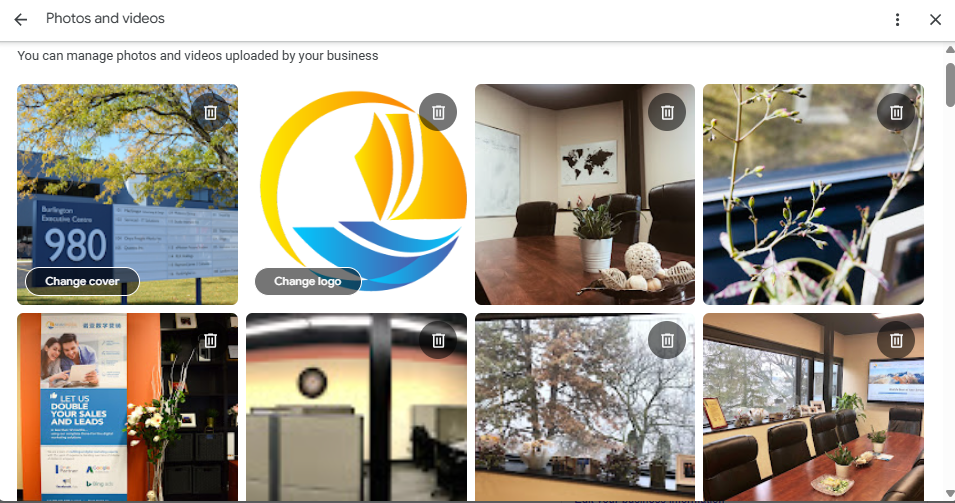
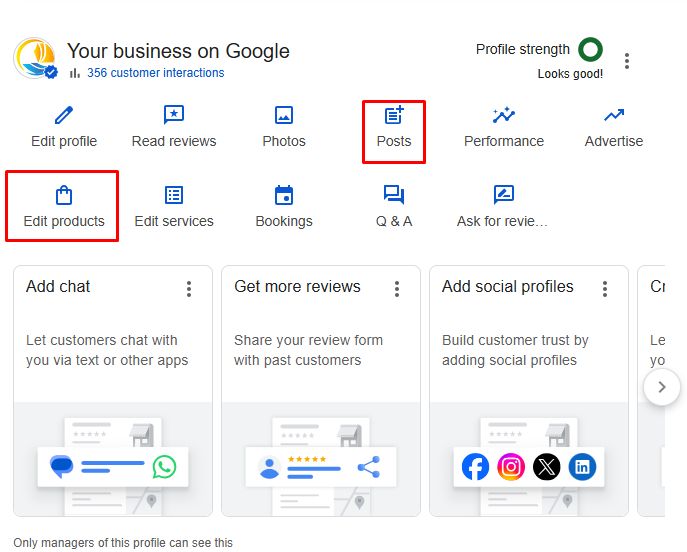
One of the most powerful tools you have in Google My Business is the ability to create posts with a call-to-action (CTA) button. These posts appear directly on your GMB profile and can link directly to your service pages or product listings. Don’t underestimate the impact of these posts. They can act like free advertisements for your business, directly connecting with customers in your local area. For instance, if you have a special offer or a limited-time promotion, create a post that shares this deal with a sense of urgency. This can encourage potential customers to act quickly and make a purchase.
4. Posts, offers & products
I love seeing businesses take advantage of this powerful FREE tool that Google gives us. It is AMAZING.
Did you know that you can create posts with a beautiful call-to-action button right on your Google My Business page that links back to your service page/products? Don’t underestimate the power of this! It’s like your very own free ad for your local customers. You should make a post at least once a week, and see how your GMB page increases in ranking.
If you’re also running Google Ads to complement your organic local SEO efforts, understanding Google Ads industry benchmarks can help you assess how well your ads are performing relative to others in your industry, and fine-tune your campaigns to achieve better results.
5. Ask for reviews & respond to them
Most people who receive reviews don’t respond to each one, or they only respond to selected ones. It’s critical that you take the time to respond to every review. I know sometimes you can get fake reviews or unfairly bad reviews, but you must reply.
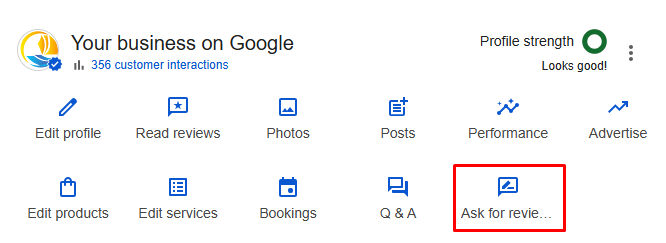
One of the simplest yet most effective ways to improve your GMB page’s visibility is by collecting reviews from your customers. Positive reviews can help build trust with potential customers and signal to Google that your business is reputable and relevant for local searches. It’s also about engaging with reviews—responding to every review, whether it’s positive or negative, shows customers that you care about their feedback. This engagement signals to Google that your business is active and responsive, which can improve your local rankings.
6. Messaging
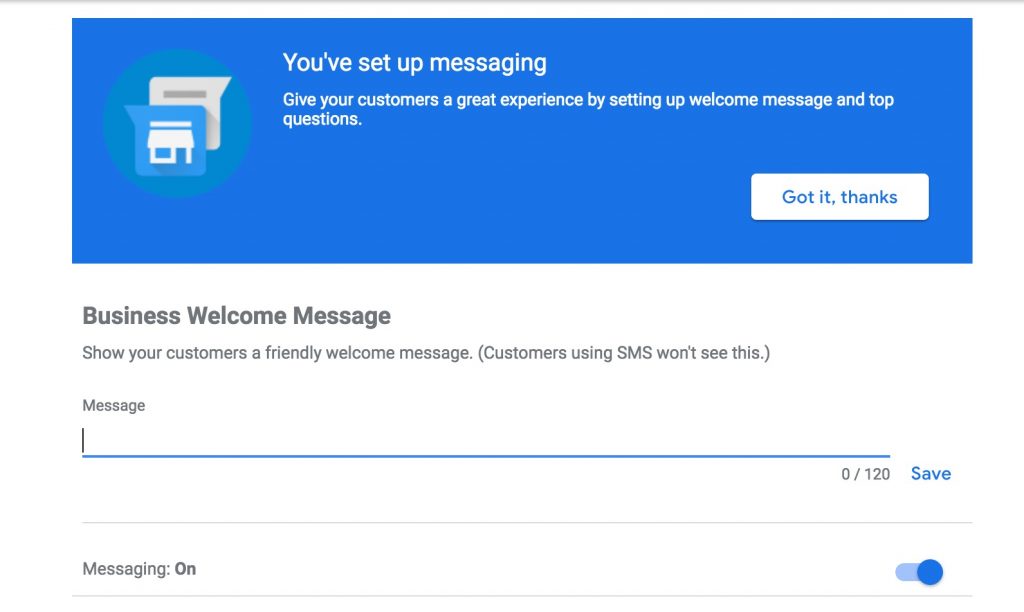
Did you know you can set up automated messages on your Google My Business page? This can help your customers get quick responses when they reach out. Whether it’s a ‘welcome’ message or answers to frequently asked questions, automated messaging makes it easier for your customers to connect with you. Setting up messaging in your GMB optimization checklist will make it easier for potential customers to reach out directly from your GMB profile. It’s an easy way to improve customer engagement and show Google that your business is responsive and accessible.
7. Optimize Business Description with Keywords
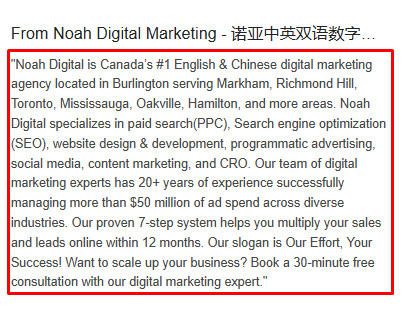
The business description in your Google Business Profile (GBP) is one of the most important areas to highlight what your business offers. It’s also a powerful tool for local SEO. To help your business show up in relevant searches, make sure to optimize your description with relevant keywords that potential customers are likely to use when searching for businesses like yours.
However, avoid keyword stuffing—keep the description natural and informative. Focus on explaining what your business does, the services or products you offer, and the value you provide to your customers. A well-crafted description not only helps with local SEO but also builds trust with visitors, as they’ll have a clear understanding of what your business is all about.
Additionally, updating your business description regularly can help ensure it stays aligned with any changes to your services or offerings. Be sure to highlight any unique features or benefits of your business, as this can make your profile stand out in local search results.
Conclusion
Optimizing your Google My Business profile is one of the most effective ways to improve your local SEO and increase your visibility online. By following this Google My Business checklist, you can ensure that your business stands out in search results, engages with customers, and builds trust in your community. Whether it’s choosing the right category, posting regular updates, or responding to reviews, each step plays a crucial role in driving more traffic to your website and attracting potential customers. Don’t forget to regularly update your GMB profile to stay ahead of the competition and make the most out of every opportunity to improve your online presence.